
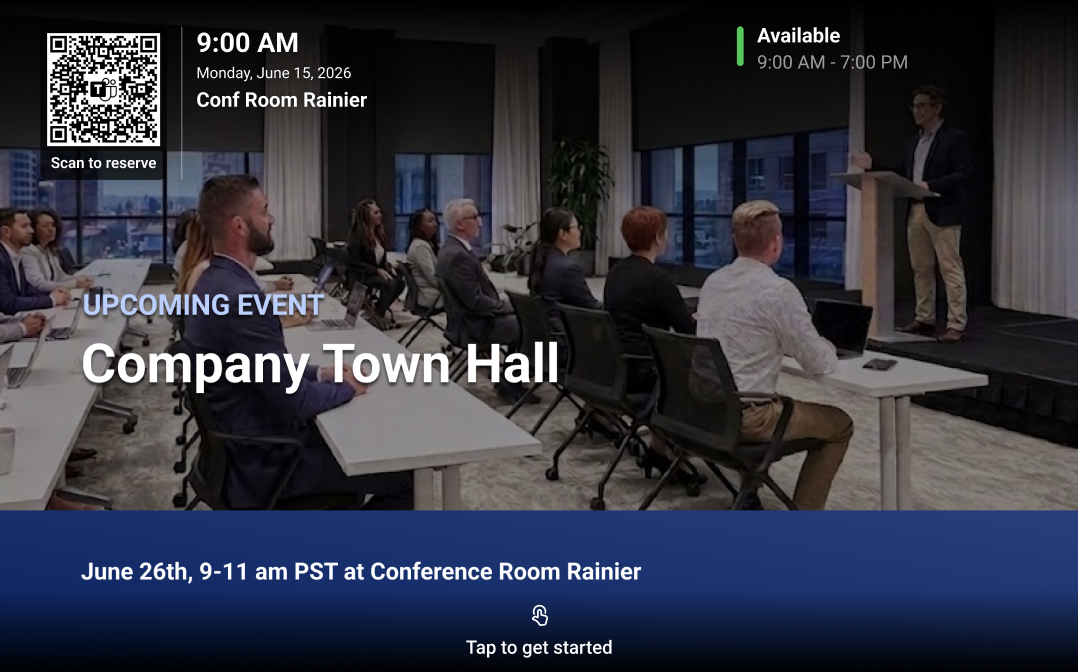
Some changes look small when you read them in the Message Center… but depending on how you use them, they can actually change how your spaces work. This is one of those.
Microsoft is introducing support for digital signage on idle Teams panels, something that already existed in Teams Rooms (front-of-room displays), but now extends to a much more visible part of daily interaction.
What is actually changing
Today, Teams panels are mostly used for:
- room availability
- booking
- basic interaction outside meeting rooms
That’s it.
With this update, those same devices can display content when they are not in use:
- internal messages
- announcements
- relevant information
It’s not a complex feature, but it changes how you can use something that is already there.
Not a new idea, but better integrated
Digital signage in Teams Rooms is not new.
What changes here is:
- it now extends to Teams panels
- it can be managed from the Teams Rooms Pro Management portal
- it can be configured at:
- tenant level
- device level
- or per device group
Also:
- it supports providers like Appspace and XOGO
- it requires Teams Rooms Pro or Teams Shared Spaces licenses
So if you already use signage in meeting rooms, this is an extension, not a new project.
When this is happening
- Rollout starts: early June 2026
- Expected completion: mid-June 2026
Nothing unusual here. Just something to keep on your radar.
Where this actually makes sense
This is not for every environment.
It starts to make more sense when you have:
- multiple meeting rooms
- constant traffic in shared spaces
- ongoing internal communication
Typical scenarios:
- short corporate messages
- operational updates
- event reminders
The key is not to overuse it, but to use it intentionally.

A detail that will matter more than expected
👉 Teams panels have smaller screens than front-of-room displays
That changes everything from a content perspective.
It means:
- simpler content
- cleaner layouts
- better readability
Microsoft recommends:
- a resolution of 1280 × 800
- separating content sources between:
- large displays
- Teams panels
If you reuse the same content without adjusting it, it probably won’t work well.
This is not just technical, it’s
What I would review before enabling it
There’s no urgency here. Microsoft is clear:
👉 no immediate action is required before rollout.
But if you want to use it properly, it’s worth checking:
- Do you already have a digital signage strategy?
- Is there existing content that makes sense for panels?
- Does it need to be adapted?
- Who owns the messaging?
This is less about configuration, and more about how the organization communicates in shared spaces.
Deja una respuesta