
Why are Custom Emojis important?
Custom emojis are not just fun images. They allow teams to express emotions, reactions, and a sense of identity that standard text cannot capture. They’re like stickers in a digital conversation, but with a personal touch. Imagine being able to use an emoji that represents an inside joke or a shared feeling among your team. It’s an excellent way to strengthen team culture and make conversations more engaging! 😊👍
Step-by-step guide to add Custom Emojis:
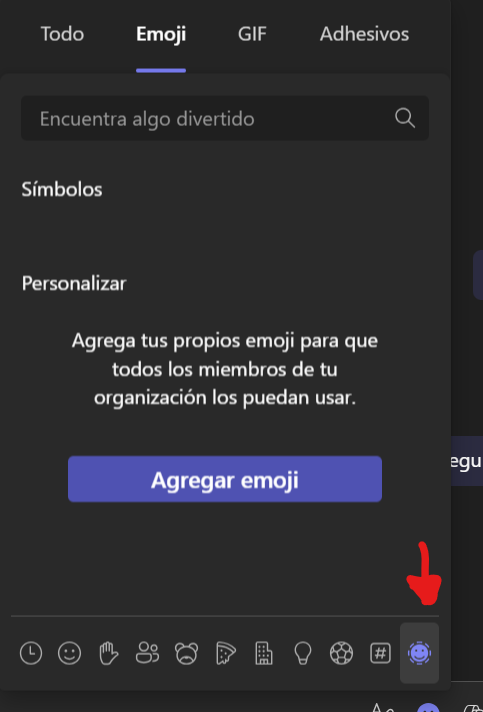
Access the emoji menu:
- Click on the emoji icon in the Microsoft Teams toolbar.
Select “Show all emojis” to open the complete menu.»

Upload your custom emoji:
Click the plus button (+) next to ‘Custom emojis.’
Upload an image or GIF that represents something special for your team. It could be a logo, an inside joke meme, or anything you’d like
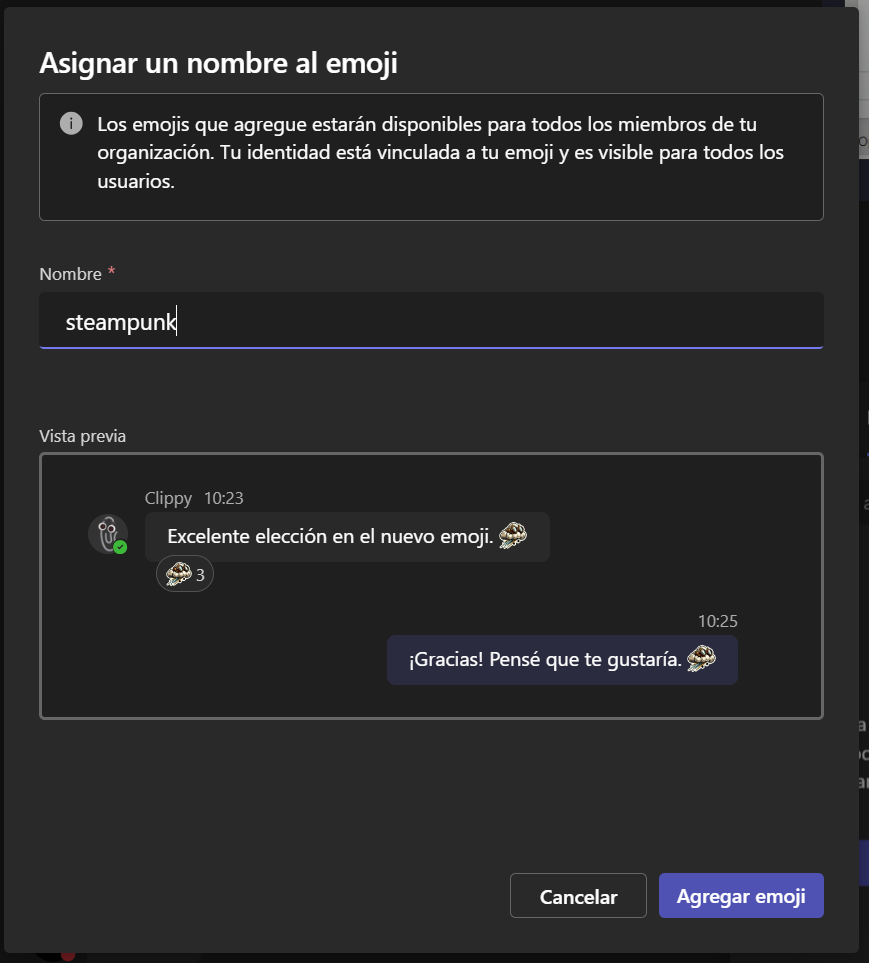
Assign a name to your emoji:
After uploading the image, give it a short and memorable name.
This name will be used to insert the emoji in conversations
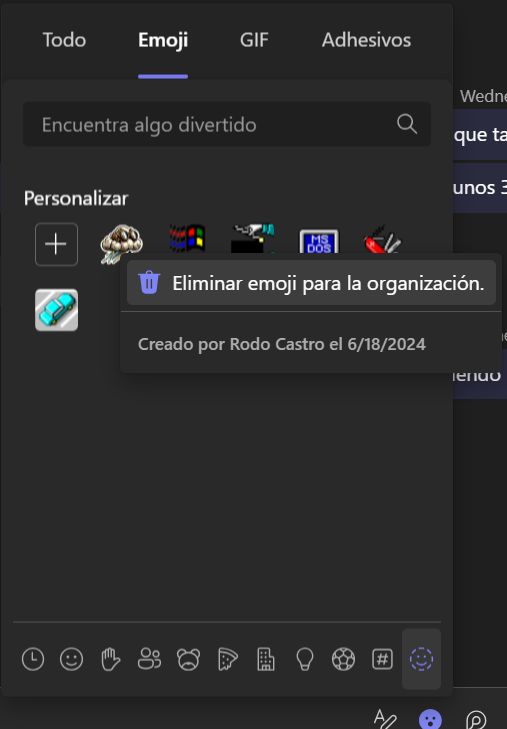
Manage your emojis:
If you’re a Teams administrator, you can delete custom emojis.
Right-click on an emoji and select ‘Delete’ if necessary.
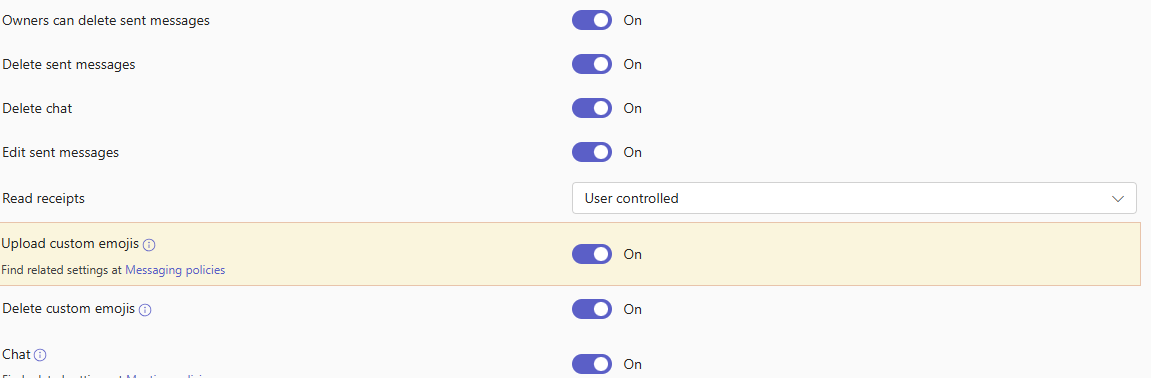
The ability to upload custom emojis is controlled by the CreateCustomEmojis setting in Teams messaging policies. Microsoft plans to enable this feature, which means the setting should be TRUE in all messaging policies. There will also be a setting in the Teams admin center to disable or enable custom emojis across the entire tenant.
To disable custom emojis, run the Set-CsTeamsMessagingPolicy cmdlet to update messaging policies. In this example, custom emojis are disabled for any account assigned to the Global messaging policy.
Set-CsTeamsMessagingPolicy -Identity Global -CreateCustomEmojis $false -DeleteCustomEmojis $false
The Teams admin center will receive an update to allow administrators to manage emoji settings in messaging policies without using PowerShell. Global and Teams administrators can delete custom emojis regardless of the messaging policy assigned to their account.
I hope it’s helpful to you!
Don’t forget to subscribe to receive notifications of new posts!




 STEAMPUNK IN THE CLOUD
Deja un comentario